Quick Start
Install
mevlog is published on crates.io. Install it with Cargo:
cargo install mevlog --locked
mevlog fetches block data using cryo, so the cryo binary must be available in your PATH. Install it with Cargo:
cargo install cryo_cli --locked
Run your first command
On the first execution of the mevlog command a signatures DB has to be downloaded and indexed, but it should take max ~1min.
Fetch and display the transactions in the latest Ethereum mainnet block:
mevlog block-txs -b latest --chain-id=1
It should produce a similar JSON output:
  // ...
      "display_gas_price": "0.16 gwei",
      "tx_cost": "3437206778184",
      "display_tx_cost": "0.000003 ETH",
      "display_tx_cost_usd": "$0.01"
    }
  ],
  "result_count": 156,
  "cached_blocks": 0,
  "new_blocks": 1,
  "latest_block": 25314990,
  "duration": "1.49 s",
  "generated_at": "2026-07-11T13:19:35Z",
  "chain": {
    "chain_id": 1,
    "name": "Ethereum Mainnet",
    "currency": "ETH",
    "explorer_url": "https://etherscan.io",
    "native_token_price": 1674.61477
  },
  // ...
What just happened? You queried a Mainnet blockchain with ZERO config. Under the hood mevlog detects the fastest RPC endpoint from ChainList and uses it to download data.
The first execution against a target block might take a few seconds. But later ALL the data is cached in a local SQLite database (located in ~/.mevlog/) so subsequent queries against the same block ranges are almost instant!
You can run any SQL query against the local database using the query command:
# Find the most expensive TX in the given blocks range
mevlog query \
  -b 25314888:25314988 \
  --chain-id=1 \
  --sql "
    SELECT
      tx_hash,
      format_ether(u256_mul(gas_used, effective_gas_price)) AS cost
    FROM transactions
    ORDER BY u256_mul(gas_used, effective_gas_price) DESC
    LIMIT 1
  "
Produces:
"result": [
  {
    "tx_hash": "0x6bd55342c59905fe4c8a25f43737f60c54d43334cc54472d08f4d0069748ce9a",
    "cost": "0.044113 ETH"
  }
],
See SQL demo to see database structure, available SQLite helper methods, and run queries against the last day of Mainnet data.
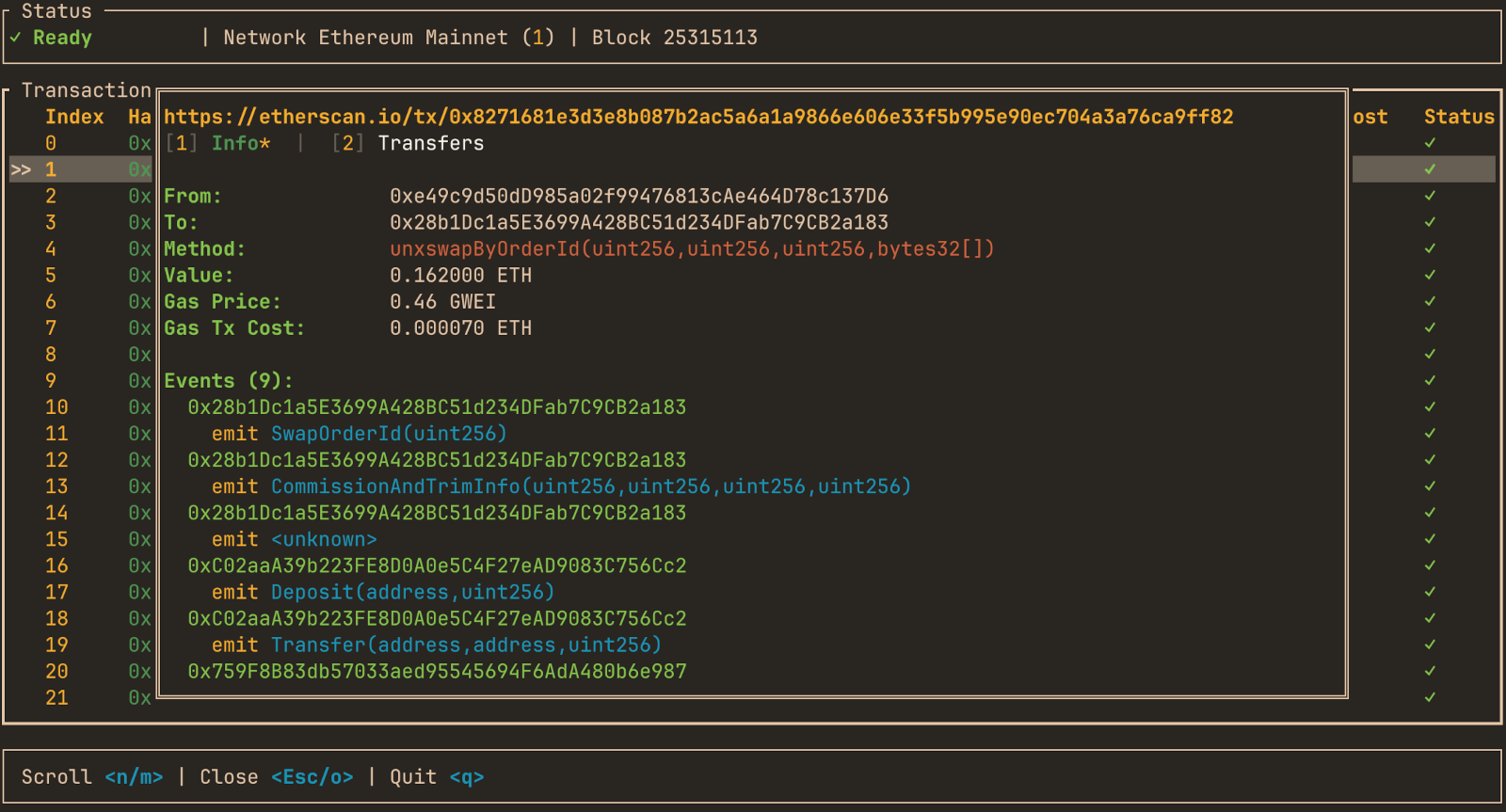
mevlog TUI interface
mevlog comes with a full-blown chains explorer TUI interface. Install it by running:
cargo install mevlog --features=tui --locked
and run:
mevlog tui
It allows exploring over 2k different EVM chains directly from your terminal, using the same SQLite as data storage.